Introduction
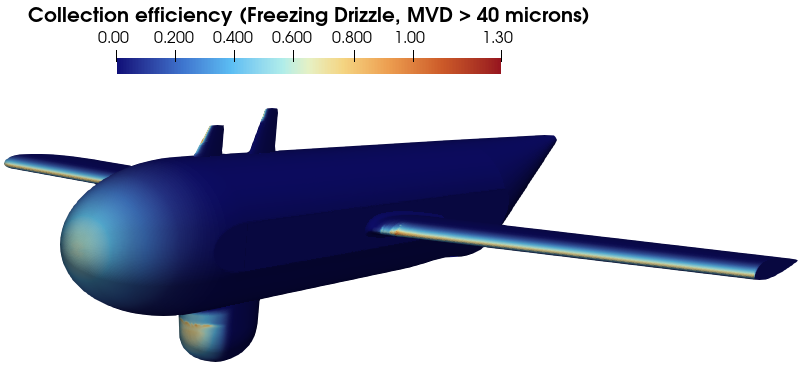
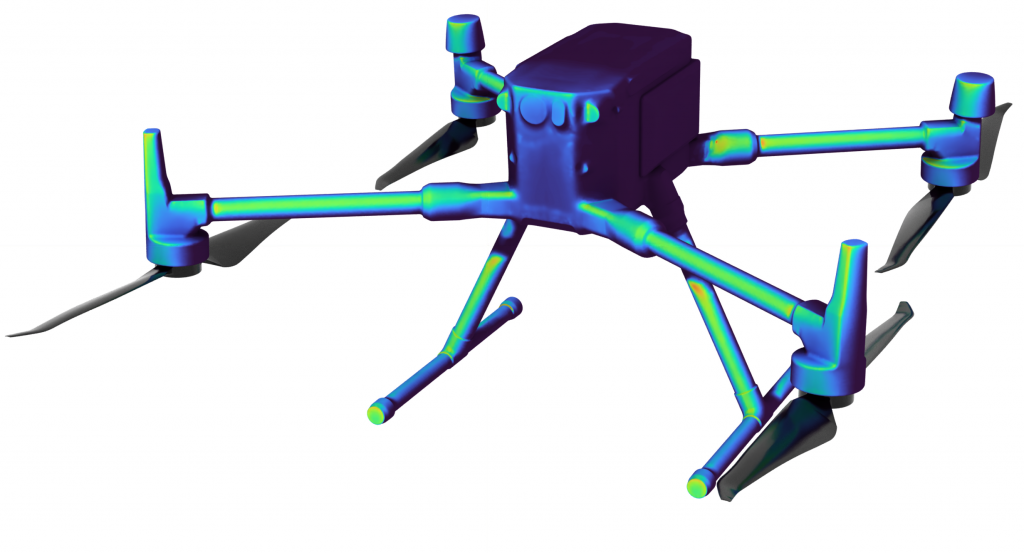
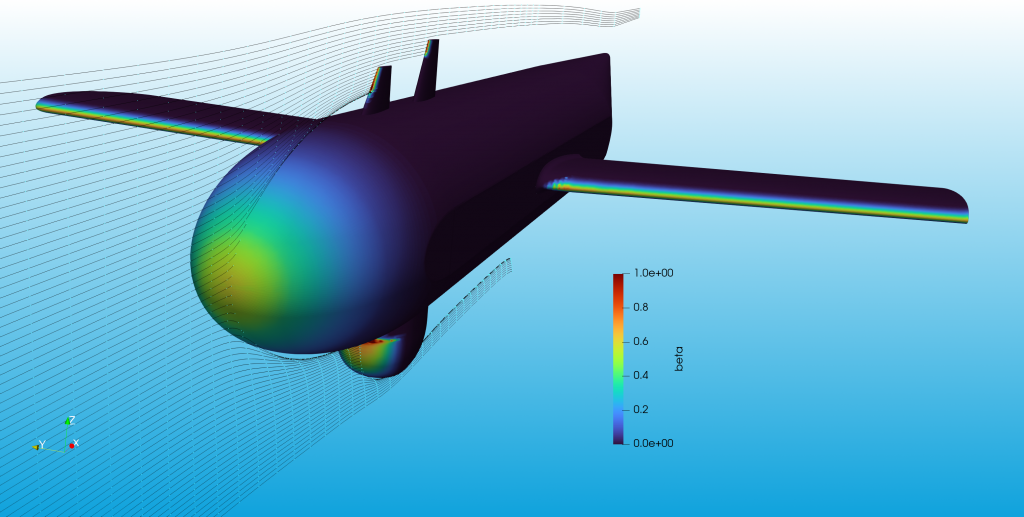
TAC3D+ can be used to calculate the trajectory of cloud water droplets and resultant water droplet catch efficiency distribution on a 3D body in incompressible flow. The code assumes only the droplet drag force is present when integrating the equations of motion (with an option to include gravity) and uses a cubic spline technique to evaluate the local value of catch efficiency on the body surface. The enhanced functionality includes effects for splash and bounce, particularly important when modelling larger droplet sizes.
The simulation tool was originally developed by AeroTex UK but AeroTex GmbH have been involved in development of the tool over the past several years.
Technical
TAC3D+ is a multi-step analysis program designed to efficiently analyse the water impingement on complex 3D bodies. The lagrangian solver itself is a modified version of the OpenFOAM Lagrangian particle tracking software with corrections made to account for droplet distortion (related to Super-Cooled Large Droplets (SLD)), correction of droplet impingement positions and functionality to reduce unexpected exit of the basic solver due to poor mesh quality near the surface.
The general anaylsis process is shown below. The process begins with inputs of the CFD mesh and field variables (velocity), and a specific input file which defines the analysis conditions (e.g. droplet size/spectrum, droplet spacing in the freestream, surfaces upon which droplet impacts should be calculated).
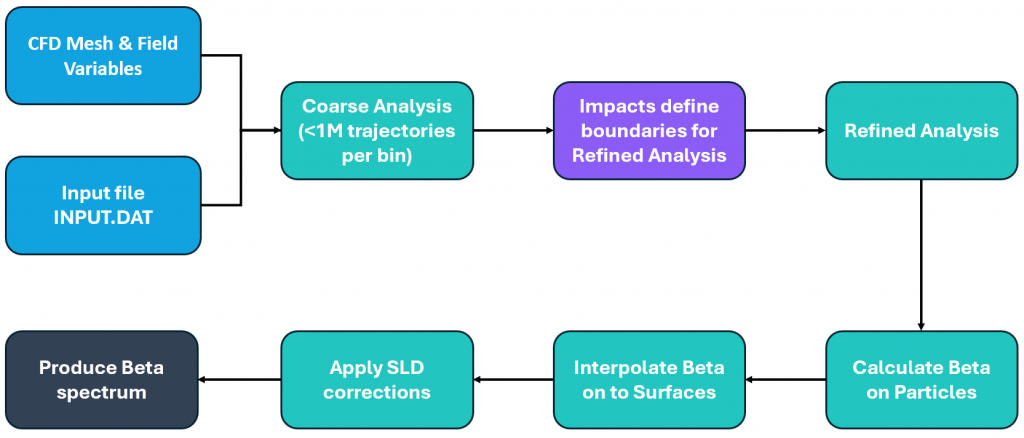
The first stage of the analysis process is to perform a Lagrangian particle analysis with a coarse distribution of points. This is currently limited to 1000 points by 1000points (y- and z-directions, assuming flow along the x-direction) and each analysis bin is run as a single job (‘job’ here referring to a task being submitted to a queue system on a computer cluster). This stage of the process is primarily aimed at defining the impingement limits and on minimising the number of particles that needs to be released during subsequent phases. Example results from a coarse analysis are shown below, with red points being ‘miss’ trajectories and blue points being those which have impacted the surface
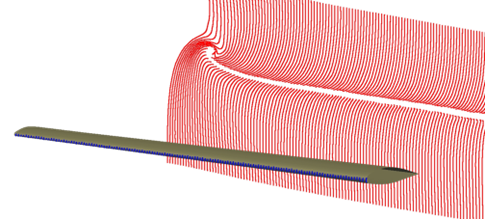
After the coarse trajectories have been analysed, a utility routine identifies which droplets impinged on the body of interest (as defined by the user). The routine uses this information to identify which droplets should be released during the refined trajectory analysis.
The refined trajectory analysis utilises the same solver except that, for each droplet size bin, a much higher number of droplets are released.
The analysis process is defined to automatically modify the integration step length for the lagrangian solution. This allows larger steps to be taken in regions where velocity gradients are small (e.g. in the freestream), whilst maintaining accuracy by reducing step length as the velocity gradients increase (e.g. near surfaces). This allows the simulation time to be minimised whilst maintaing sufficient accuracy.
A separate option exists to perform a very top-level analysis and generate actual trajectories. By launching a much smaller number of trajectories and getting visualisation of the droplet paths, the user can quickly check whether their defined droplet start posotions are suitable for the geometry and flow. Choosing start positions is relatively simple for a simpel geometries without a significant amount of flow complexity but becomes much harder as the complexits increases.